

Introduction
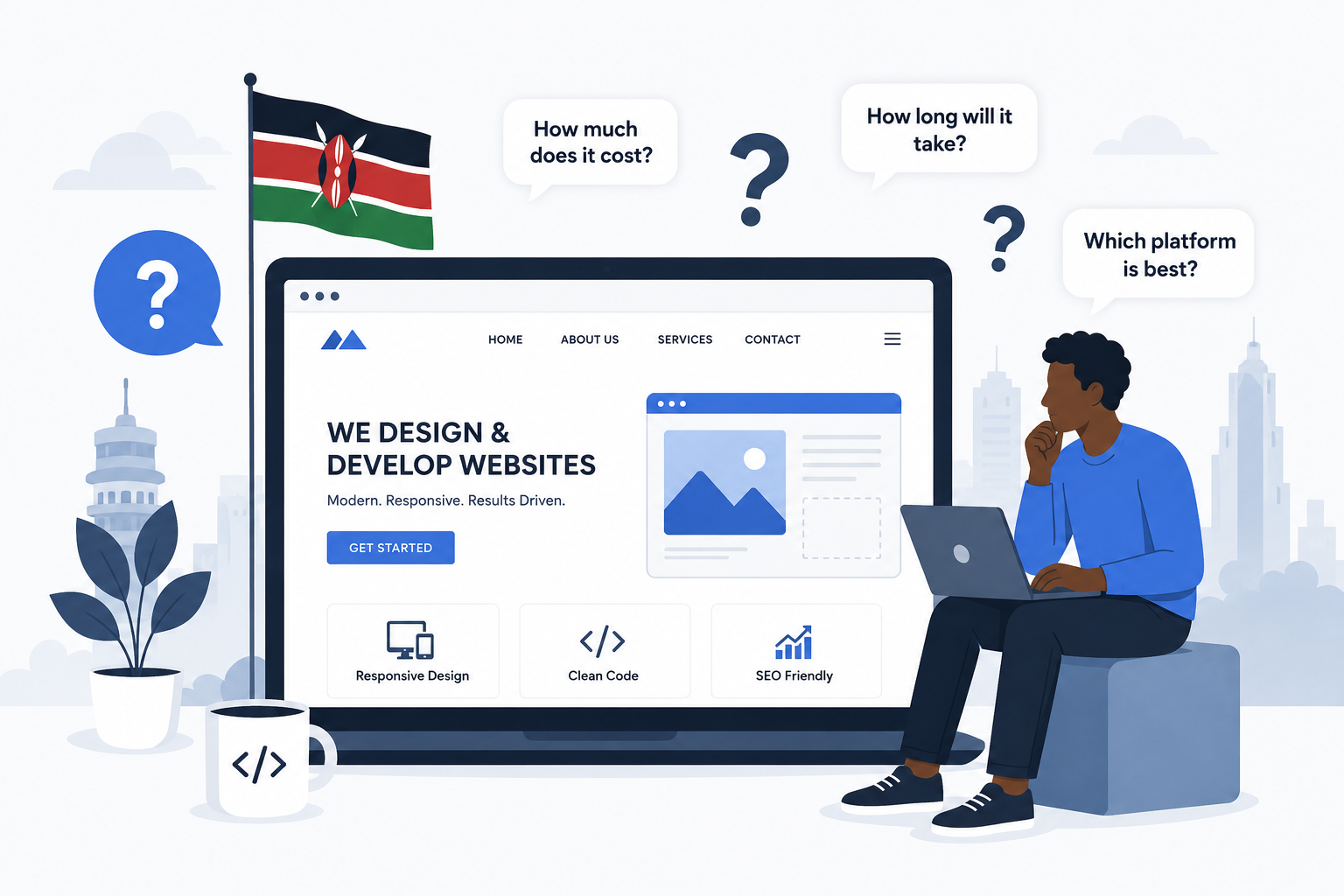
If you're a business owner in Kenya thinking about getting a website — or wondering if your current one is doing its job — this guide is for you.
We looked at the questions people search for the most about website design and development, and we answered all of them. Simple language. Real prices in KSh. No confusing jargon.
Let's get into it.
Do I Really Need a Website for My Business?
Yes. Here's why.
Your website is the only online space you fully own. Social media accounts? Those belong to Facebook, Instagram, or TikTok. They can change the rules, reduce your reach, or even shut down your account anytime they want. Your website is YOURS.
Look at the numbers:
- 81% of customers look up a business online before buying anything
- 84% of people trust a business more if it has a website
- 31% of shoppers have refused to buy from a business because it had no website
- 97% of people search online to find local businesses — and many search "[service] near me"
Your website works 24/7. While you sleep, it's showing your services, answering common questions, and collecting leads through your contact form. Social media is good for getting attention. But your website is what closes the deal.
Think of it this way: Social media is the billboard by the road. Your website is the actual shop. You need both, but the shop is where people hand over their money.
How Much Does a Website Cost in Kenya?
This depends on what you need. Here's a simple breakdown:
Basic Website (3-10 pages): KSh 15,000 – 50,000
Uses a template. Good for a simple business presence — Home, About, Services, Contact pages.
Professional Business Website: KSh 50,000 – 150,000
Custom design, SEO setup, integrations with things like booking forms or M-Pesa.
Online Shop (E-commerce): KSh 100,000 – 300,000+
Product listings, shopping cart, M-Pesa or card payment integration, customer accounts.
Custom Web Application: KSh 200,000 – 500,000+
Built from scratch for specific needs — booking systems, client portals, dashboards, etc.
Don't forget the yearly costs:
- Domain name (.co.ke or .com): KSh 1,000 – 5,000/year
- Hosting: KSh 5,000 – 25,000/year
- Maintenance and updates: depends on your developer
Why is the price range so wide? Because a 5-page restaurant website is a completely different job from a logistics company that needs a tracking portal. The work involved is different, so the price is different.
How Long Does It Take to Build a Website?
Simple site with a template: 1 – 3 weeks
Standard business website: 4 – 8 weeks
Complex or custom project: 10 – 16 weeks or more
Here's something important: The biggest cause of delays is usually NOT the developer. It's the client. If you take 2 weeks to reply to emails, or you haven't prepared your content (text, images, logo files), the project will drag.
Quick tip: Before you hire a developer, prepare a document with the text for each page, your logo files, your brand colors, and any photos you want to use. Give this to the developer on day one. This alone can save you weeks.
Should I Use Wix/Squarespace or Hire a Developer?
Use a website builder (Wix, Squarespace) if:
- You're just starting out and need something online fast
- Your budget is tight (they cost about $15-$50 per month)
- You only need a few simple pages
- You're comfortable with the fact that your site will look similar to many others
Hire a developer if:
- Your website is a key part of how you do business
- You need custom features — M-Pesa integration, booking systems, client portals
- You care about speed, SEO, and standing out from competitors
- You want to fully own your code and be able to move hosts whenever you want
The hidden cost of "cheap": A KSh 2,000/month Wix site that loads slowly and looks generic might be costing you thousands in lost customers — people who visited, weren't impressed, and went to your competitor. On the other hand, spending KSh 200,000 on a custom site when you only need 5 basic pages is also a waste. Match the tool to your actual needs.
What Are the Biggest Web Design Trends in 2026?
Forget fancy buzzwords. Here are the trends that actually matter for your business:
1. AI Personalisation
Websites can now show different content to different visitors based on their behaviour. A first-time visitor sees a "Learn More" button. A returning visitor sees "Ready to Get Started?" This increases conversions.
2. Accessibility Is Mandatory
Your website needs to work for everyone — including people with disabilities. This means keyboard navigation, readable fonts, good colour contrast, and proper labels on forms. It's also becoming a legal requirement in many places.
3. Dark Mode
Most users now have dark mode on their phones. If your site blasts them with a bright white screen at night, they'll leave. Modern sites detect your phone's setting and adjust automatically.
4. Small Animations That Have a Purpose
Flashy animations are out. But small, useful ones are in — a button that changes when you click it, a progress bar showing your form is sending, a gentle pulse showing the system is loading. These make the site feel alive without slowing it down.
5. Mobile-First Design
This isn't even a trend anymore — it's the standard. Over 60% of web traffic in Kenya comes from phones. Google also ranks your site based on how it looks on mobile, not desktop. If your site doesn't work perfectly on a phone, you're losing customers.
How Do I Make My Website Faster?
A slow website kills your business. Over half of mobile users leave a site that takes more than 3 seconds to load. Google also pushes slow sites down in search results.
Step 1: Test your site. Go to pagespeed.web.dev and enter your URL. It will tell you exactly what's wrong.
Step 2: Fix the common problems.
- Images: This is the #1 speed killer. Compress your images using TinyPNG. Convert them to WebP format (much smaller files, same quality).
- Too much JavaScript: Old tracking scripts, unused plugins, and heavy code slow things down. Remove what you don't need.
- Bad hosting: If your server is slow, everything is slow. Consider using a CDN like Cloudflare to speed things up.
- Fonts: Custom fonts can cause the text to "flash" or the page to jump. Preload your fonts to avoid this.
How Do I Get My Website on Google?
There are two separate things here: getting indexed (Google knows your site exists) and ranking (your site appears on page 1).
Getting indexed is easy:
- Go to Google Search Console and add your site
- Submit your sitemap
- Request indexing for your important pages
Ranking is the hard part. It needs 3 things:
- Technical SEO — Fast site, mobile-friendly, proper headings, HTTPS
- Good content — Write articles that answer what your customers are actually searching for
- Authority — Other reputable websites linking to yours (backlinks)
Quick wins you can do today:
- Fix your page speed (use PageSpeed Insights)
- Target specific keywords like "web design company in Nairobi" instead of just "web design"
- Google your keyword and look at the "People Also Ask" box. Turn those questions into headings in your blog post and answer them. This helps you win Featured Snippets.
- Update old blog posts with new information and a current year in the title
How Do I Choose the Right Web Developer?
Check their portfolio — but go deeper. Don't just look at screenshots. Visit the actual live websites they built. Open them on your phone. Do they load fast? Do they look good on mobile?
Ask about ownership. Before you sign anything, ask:
- "Will I own the code when the project is done?"
- "Will I have access to the hosting account and domain?"
- "Can I move to a different developer later if I want to?"
If they say no to any of these — walk away.
Watch out for these red flags:
- They can't show you live, working websites they've built
- They talk a lot about themselves but never ask about YOUR business
- Their prices are suspiciously cheap (you get what you pay for)
- They want to own your domain or hosting account
- They disappear after the project launches — no support, no maintenance
What Happens After My Website Launches?
Launching is not the end. It's the beginning. Your website needs ongoing care:
- Security updates: Software needs regular patches to stay safe from hackers
- Content updates: Google rewards fresh, updated content
- Speed checks: Performance can drop over time as you add more stuff
- Backups: Regular backups mean you can recover if something goes wrong
- Analytics: Use Google Analytics and Search Console to see what's working
Common Mistakes to Avoid
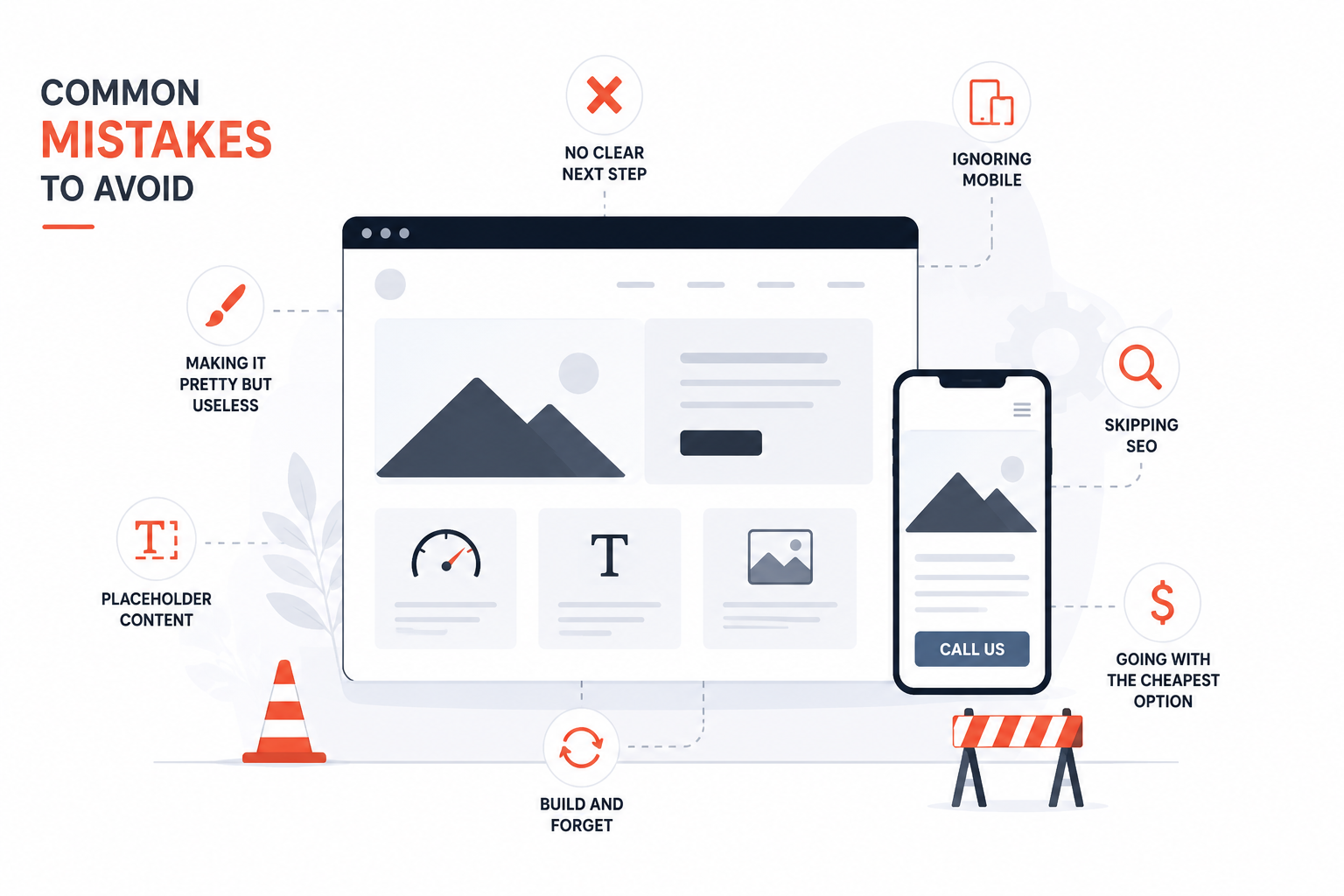
- Making it pretty but useless. A beautiful site that's slow and confusing to use is still a bad site.
- Ignoring mobile. Most of your visitors are on phones. Design for phones first.
- No clear next step. Every page should tell the visitor what to do next — "Call Us", "Get a Quote", "Book Now".
- Placeholder content. If your live site still says "Lorem ipsum" or has stock photos of random white people in an office, your customers won't take you seriously.
- Build and forget. Websites need regular updates, just like a car needs servicing.
- Skipping SEO. Building SEO into the site from day one is 10x easier than trying to add it later.
- Going with the cheapest option. A badly built website will cost you more in lost customers than a properly built one would have cost upfront.
Final Word
Your website is not just a digital business card. It's your most powerful sales tool. It works for you 24/7, builds trust with potential customers, and helps people find you on Google.
Whether you're building your first site or fixing an existing one, start with strategy. Understand what your customers are searching for. Build something that answers their questions better than anyone else. Make it fast. Make it work on phones. Make the next step obvious.
Do that, and you'll be ahead of 90% of businesses in your space.
Key Takeaways:
- First major point of this guide.
- Second actionable conclusion.
Pro Tip: Insert your key advice or actionable takeaway here.
Key Takeaways
- First major point of this guide.
- Second actionable conclusion.
Pro Tip
Insert your key advice or actionable takeaway here.
pndev
We craft digital experiences that help businesses grow online. From web design to branding, we deliver results.


